One plugin · Every form

Stop Spam on Every WordPress Form

Contact forms, login, comments, checkout — protected by one plugin, in under a minute, without writing a line of code.

Free on WordPress.org · GPL-2.0-or-later · no account required

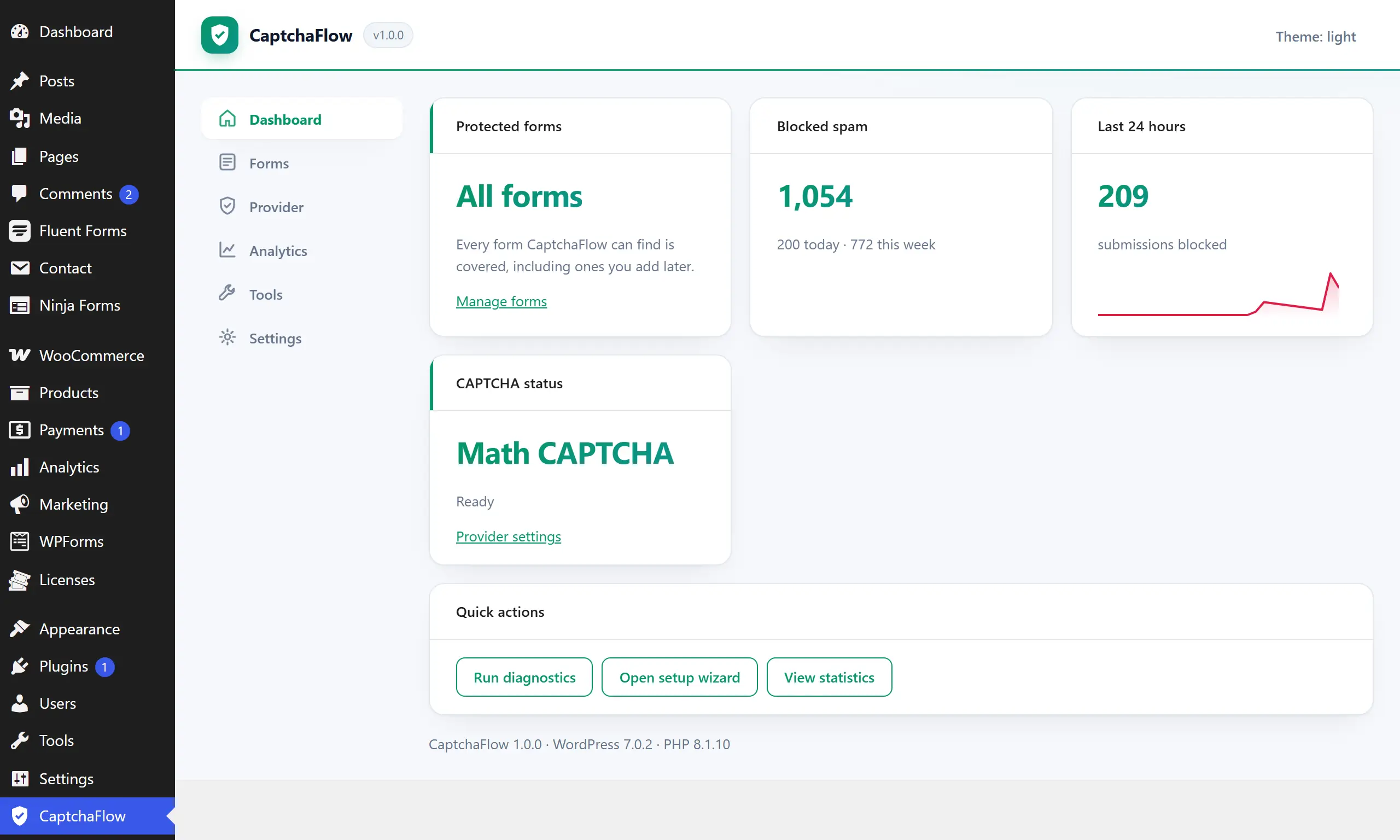
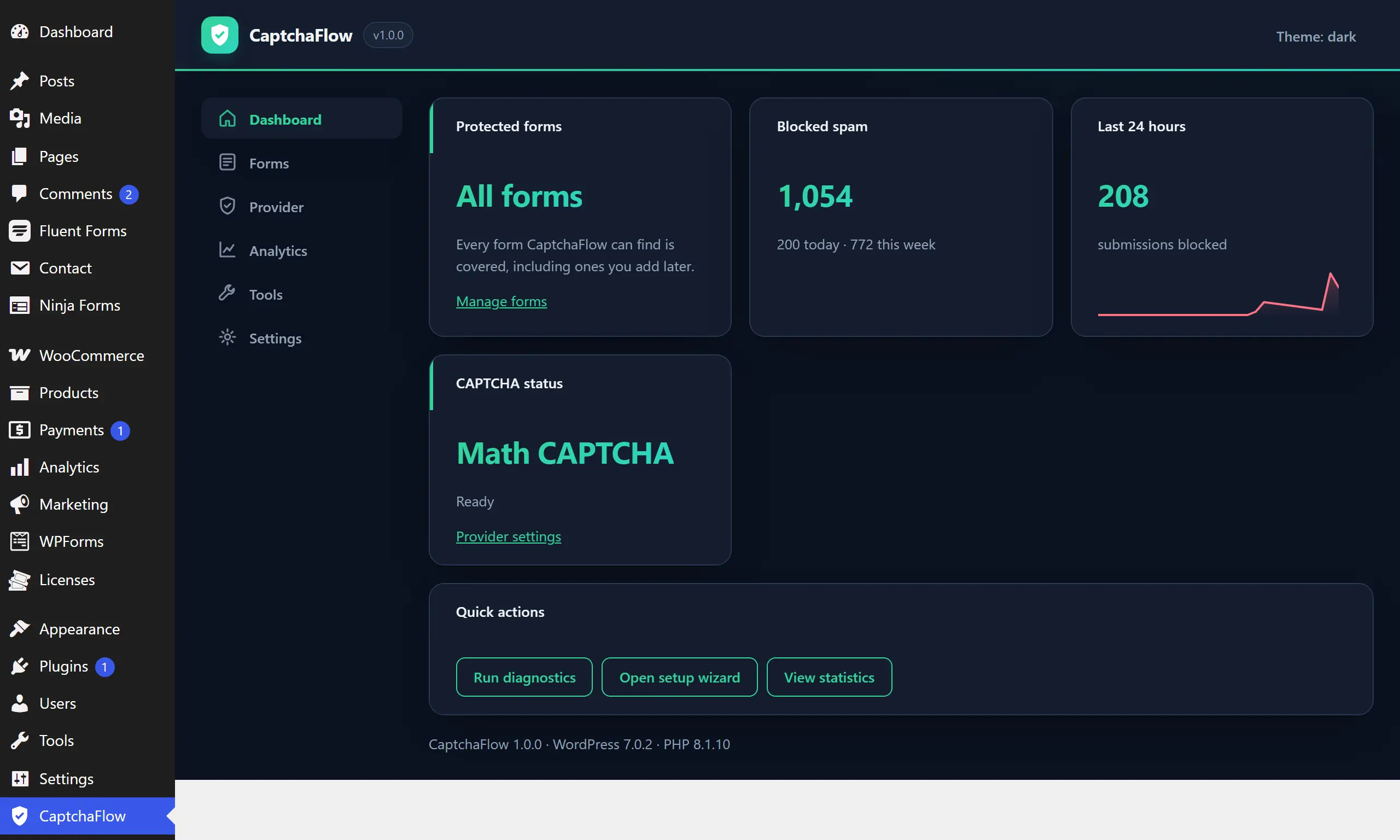
The CaptchaFlow dashboard: protection status, blocked-spam counters, a 30-day trend and the most recent decisions with their reason codes.
Blocked honeypot · 12:03
12 forms all protected
2.5 KB of JavaScript

Works with what you already use

  • Contact Form 7
  • WPForms
  • Fluent Forms
  • Forminator
  • Ninja Forms
  • Gravity Forms
  • Elementor Pro
  • WooCommerce
  • WordPress core
  • Cloudflare Turnstile
  • reCAPTCHA
  • hCaptcha

Integrations, not endorsements — these are the form plugins and challenge providers CaptchaFlow talks to.

Core features

Everything you need to stop form spam

Not a checklist of buzzwords — each of these is a screen you can open after installing.

Universal coverage

One plugin in front of every form

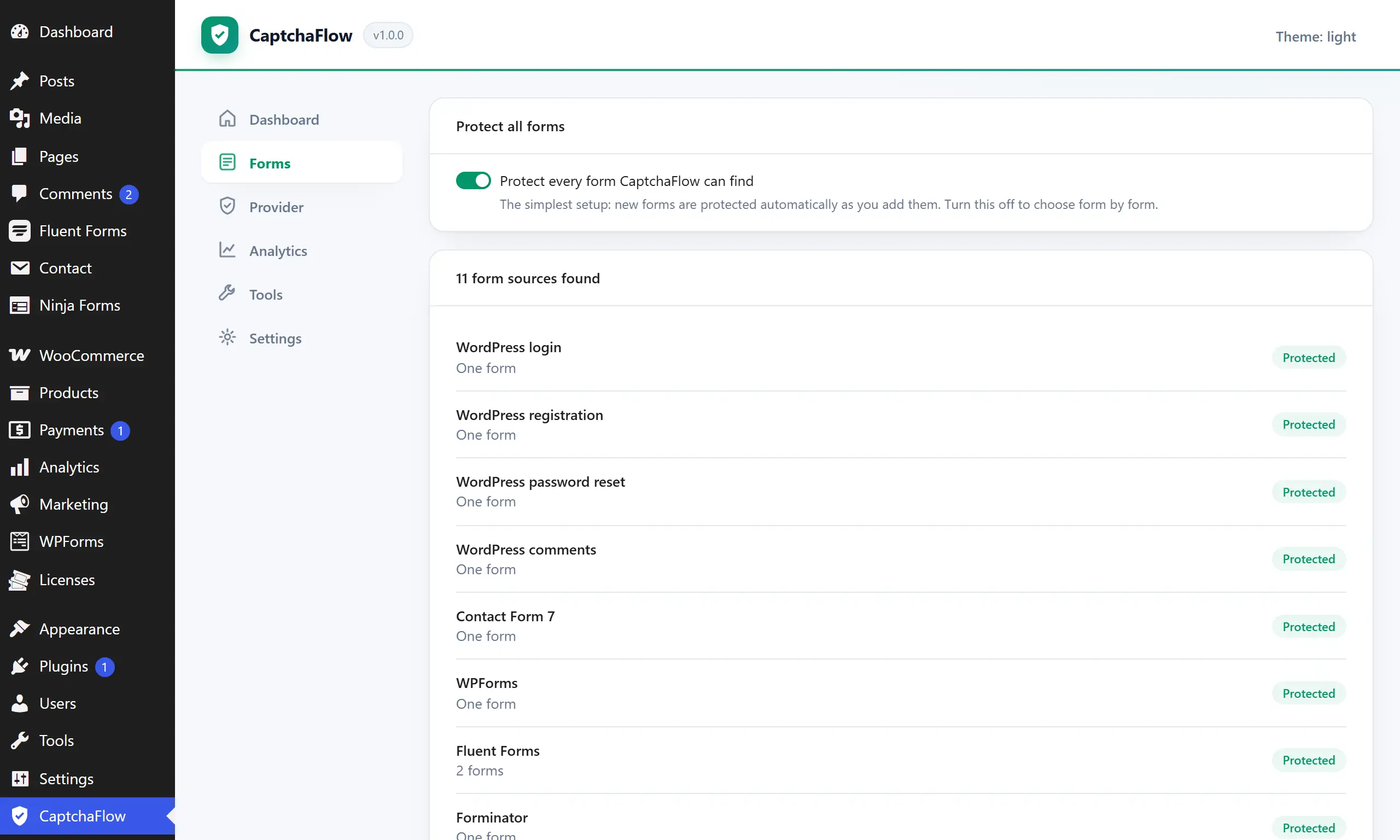
Turn on protect-all and CaptchaFlow covers your contact forms, your login, your comments, your checkout — and whatever you install next.

  • 12 form sources out of the box
  • Any other form by CSS selector
  • New forms protected automatically
The Forms screen: a single protect-all switch above a list of detected form sources, each marked protected, and a dashed row showing that any other form can be added by CSS selector.
Your choice

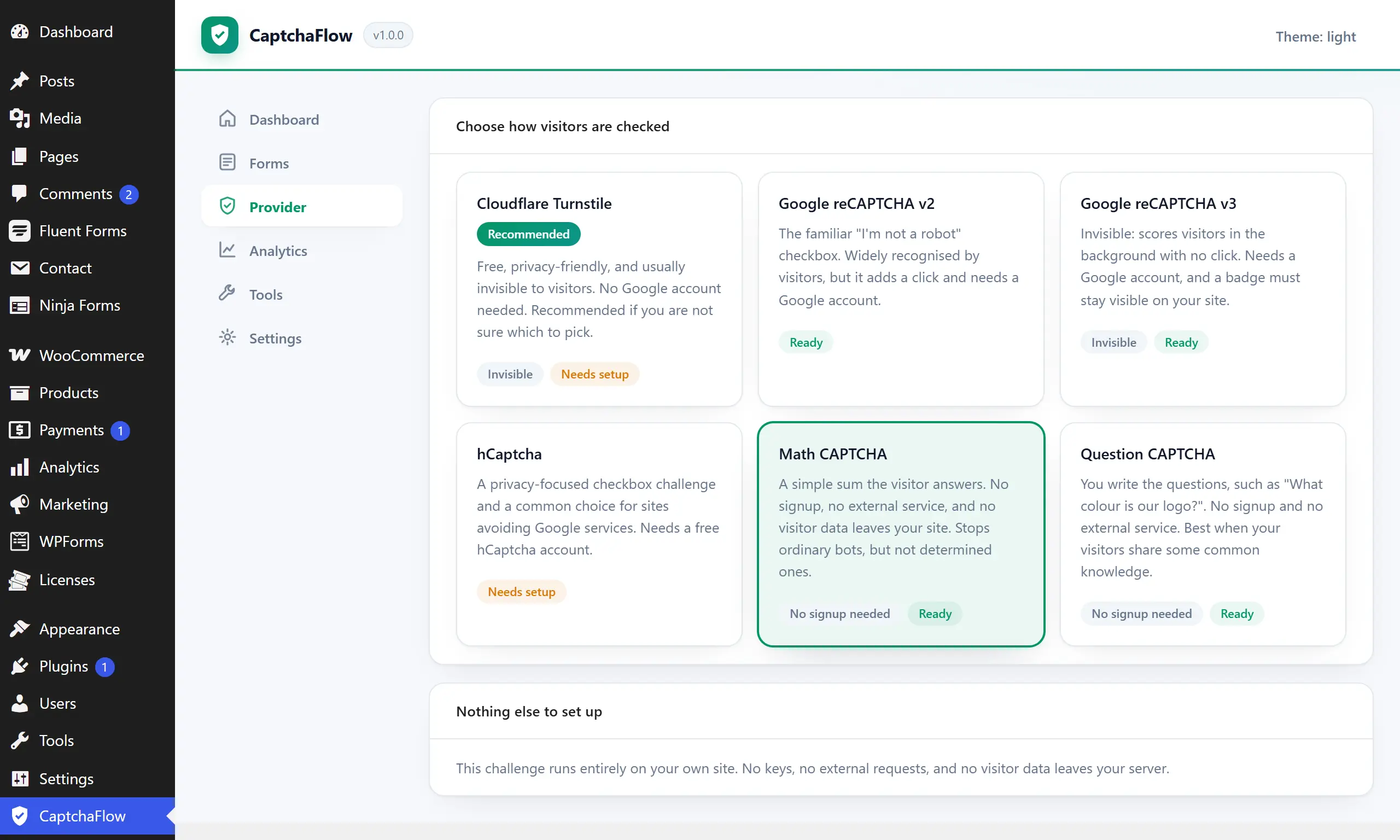
Six ways to check a visitor

Pick one, change your mind later, and never touch a form to do it.

  • Cloudflare Turnstile
  • reCAPTCHA v2 and v3
  • hCaptcha
  • Math challenge — self-hosted
  • Question challenge — self-hosted
Before the provider

Silent checks on every submission

Honeypot and timing traps run first, so most bots never cost you a network call.

Privacy-first

Logs that respect your visitors

IP addresses shortened before they are written, email addresses stored only as a one-way hash.

It tells you when it is wrong

Diagnostics that name the fix

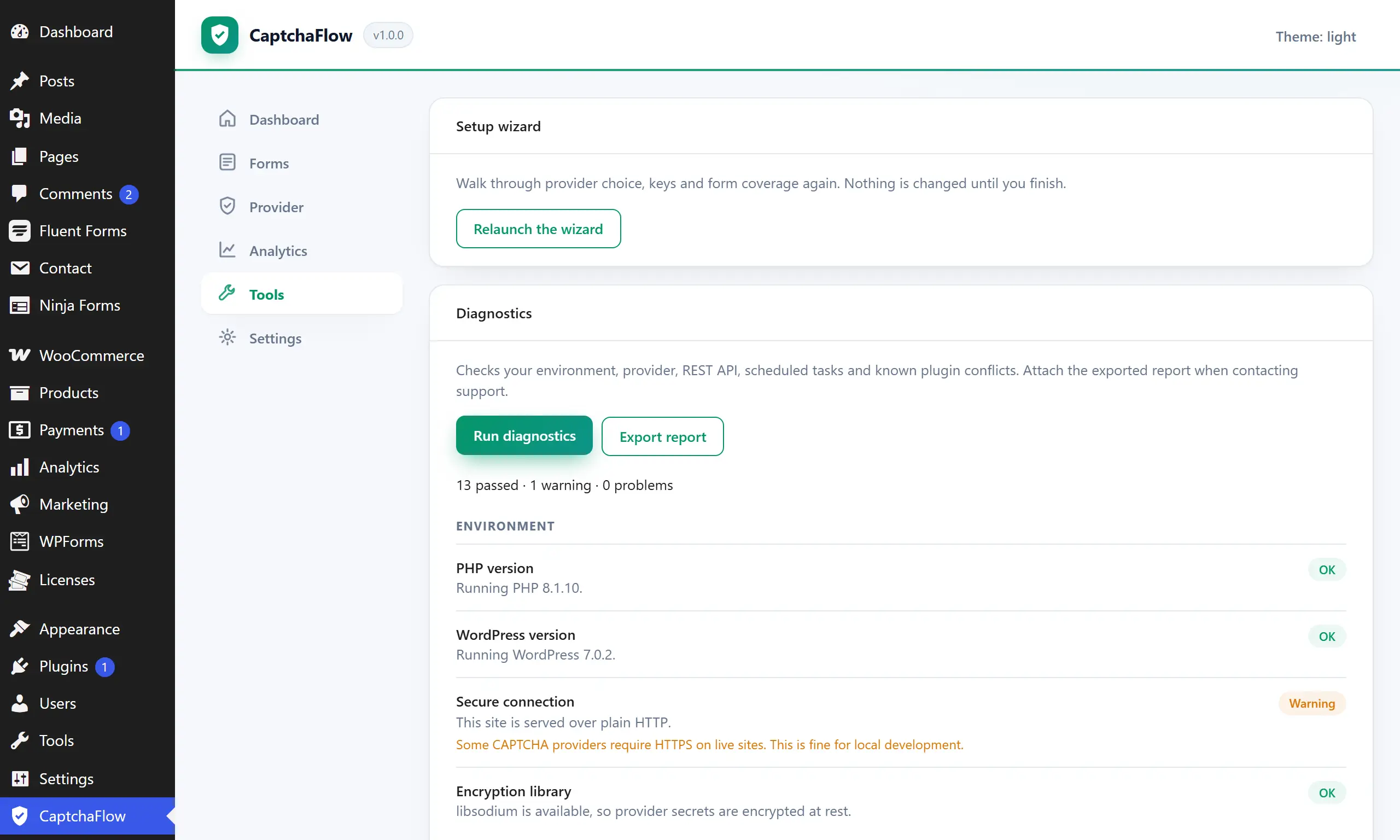
One click checks your environment, provider keys, REST API, scheduled tasks and known plugin conflicts — then says what to do about each failure, in a sentence.

The setup wizard progress through choose, keys, coverage, confirm and done, above a diagnostics list showing two passes and one warning with its fix.
Cache-safe

A full-page cache cannot break it

No visitor-specific data is ever written into page HTML, so the challenge works the same whether the page came from your server or from cache.

How it works

Four steps, and the last one is optional

  1. 01

    Install and activate

    The setup wizard opens by itself. No configuration file to edit, nothing to paste into your theme.

  2. 02

    Pick a challenge

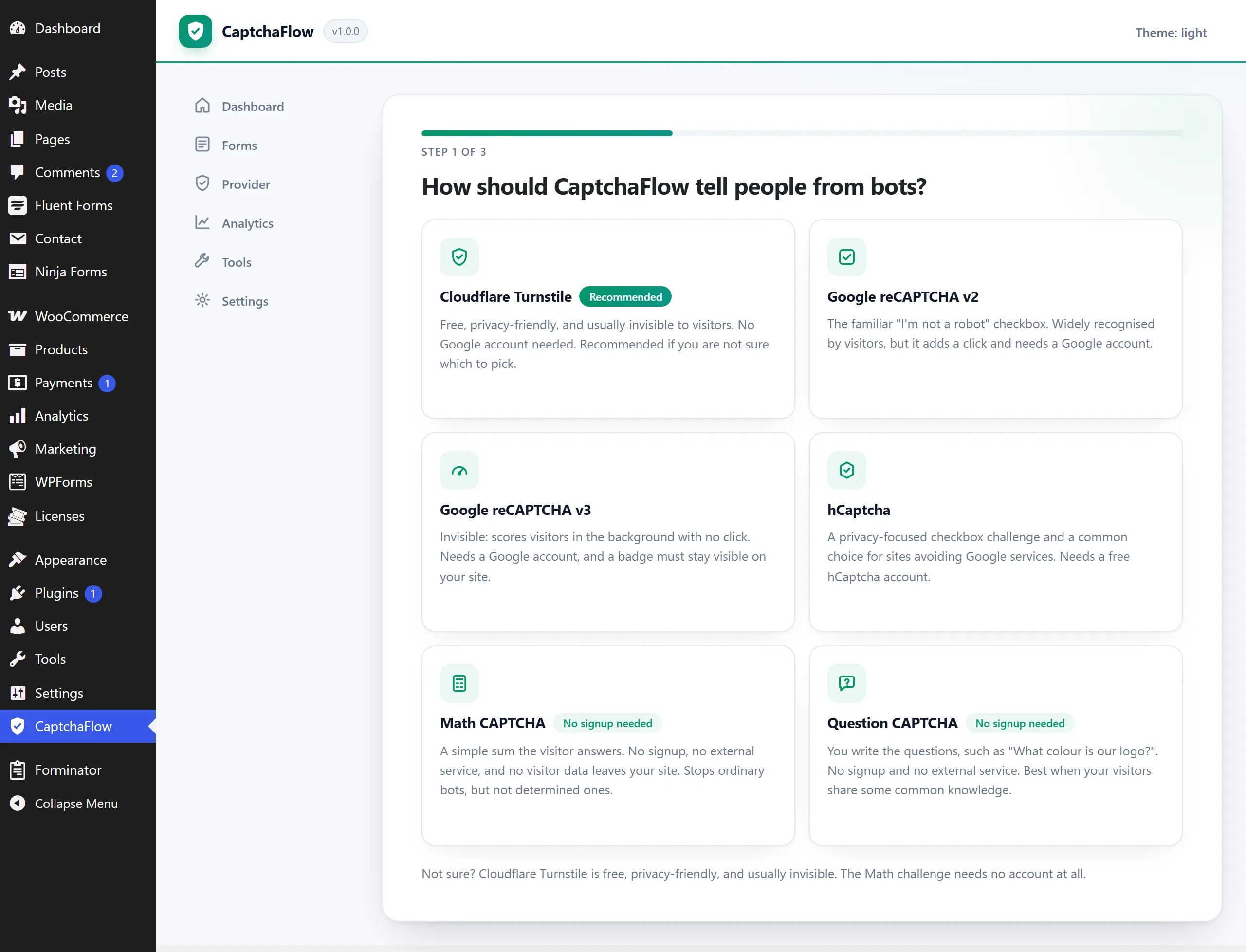
    Six to choose from, each explaining its trade-offs. Two are self-hosted and need no account at all.

  3. 03

    Leave protect-all on

    Every form CaptchaFlow can find is covered, including the ones you add next month.

  4. 04

    Watch the log

    Every decision is recorded with the reason for it, so you can see exactly what was stopped and why.

12

form sources protected out of the box

6

challenge types, two of them self-hosted

2.5 KB

of JavaScript on the page, gzipped

207

automated tests across Free and Pro

Every figure here is counted from the shipped plugin, not estimated.

Your choice

Six ways to tell a person from a bot

Including two that never contact anyone. Every option states its trade-offs before you commit to it — and you can change your mind later without touching a form.

Compare the six
Cloudflare Turnstile Recommended
Google reCAPTCHA v2
Google reCAPTCHA v3 Invisible
hCaptcha
Math challenge No signup
Question challenge No signup
Compatibility

Does it work with your forms?

Almost certainly. Check for yourself.

12 form sources are protected out of the box — plus any other form, by CSS selector.

    The actual plugin

    Screenshots, not mockups

    One switch, every form

    Turn on “Protect all forms” and CaptchaFlow covers everything it can find — including the forms you add next month. No shortcodes, no per-form setup.

    The Forms screen listing every detected form source, each marked protected, above one protect-all switch.

    Protected in under a minute

    The wizard asks one question — how should visitors be checked — and does the rest. Choose a self-hosted challenge and there is no account to create and no key to paste.

    The setup wizard showing six challenge options, each with its trade-offs in plain language.

    It tells you when something is wrong

    One-click diagnostics check your environment, provider, REST API, scheduled tasks and known plugin conflicts — then tell you how to fix what they find.

    The Tools screen showing one-click diagnostics results and the theme compatibility checker.
    Why CaptchaFlow

    Built to be lived with

    Anti-spam plugins are easy to install and miserable to own. These are the decisions that follow from taking the second part seriously.

    • Free is a real plugin, not a demo

      Every form source, all six challenges, the log and the privacy tools — free forever, on unlimited sites.

    • Cache-safe by design

      No visitor-specific data is ever written into page HTML, so a full-page cache cannot break the challenge.

    • It never holds your site hostage

      An expired licence keeps protecting your site. It only stops offering updates.

    • Every decision is explainable

      When something is blocked, the log names the exact check that stopped it — no black box.

    Questions

    The ones people actually ask

    Do I need a Google account?

    No. The Math and Question challenges run entirely on your own site with no signup and no external service. If you would rather use a managed provider, Cloudflare Turnstile is free and needs no Google account either.

    Will it work with my page caching plugin?

    Yes, by design. CaptchaFlow never puts visitor-specific data into your page HTML, so cached pages stay correct for every visitor. The challenge is fetched by the browser with caching disabled, and the diagnostics screen confirms it is working through your cache.

    What happens if the CAPTCHA provider goes down?

    Your forms keep working. CaptchaFlow fails open by default: if the provider cannot be reached, submissions are still checked by the honeypot, timing and content checks rather than everyone being locked out. You can switch that off if you would rather fail closed.

    What data do you collect about my visitors?

    None reaches us. There is no telemetry, no phoning home and no account. Verification events are logged in your own database for the retention period you choose. IP addresses are shortened to their network before storage, and email addresses are kept only as one-way hashes.

    Does it slow my site down?

    The public script is 2.5 KB gzipped and loads only on pages that actually contain a protected form. Log writes are deferred until after the response has been sent, so verification adds no database round trips to the submit path.


    All questions

    Free forever

    Every form. Zero spam.

    Install the free plugin and be protected before your coffee gets cold.

    Get started free